It reads the specification and fills in the tender form.
Upload the specification in the tender wizard. AI writes the title, description and line items into the form and suggests evaluation criteria with weights. What is left for you is checking a finished form, not copying the item list out of the document row by row.
- Line items arrive with quantity and unit; a missing quantity is never made up, it is flagged.
- Payment terms, delivery time, freight, warranty and delivery place are read from the document and shown.
- It never overwrites a filled field; the suggestion sits alongside and you use it in one click.
- The wizard has three steps: format, details, line items. Then invite and publish.
Line items are copied out of the specification by hand and the tender form is typed row by row; preparation takes days.
Once you upload and review the specification the tender is ready to publish, and suppliers can start bidding the same day.
Decide who takes part before any bid arrives.
Ask suppliers qualification questions before bidding opens. Review the answers and approve the ones that fit; a rejected supplier is told why and never reaches the bid screen.
- Write qualification questions specific to each tender.
- When bidding opens, only approved suppliers are emailed.
- Pre-qualification answers show on the bid card when you decide.
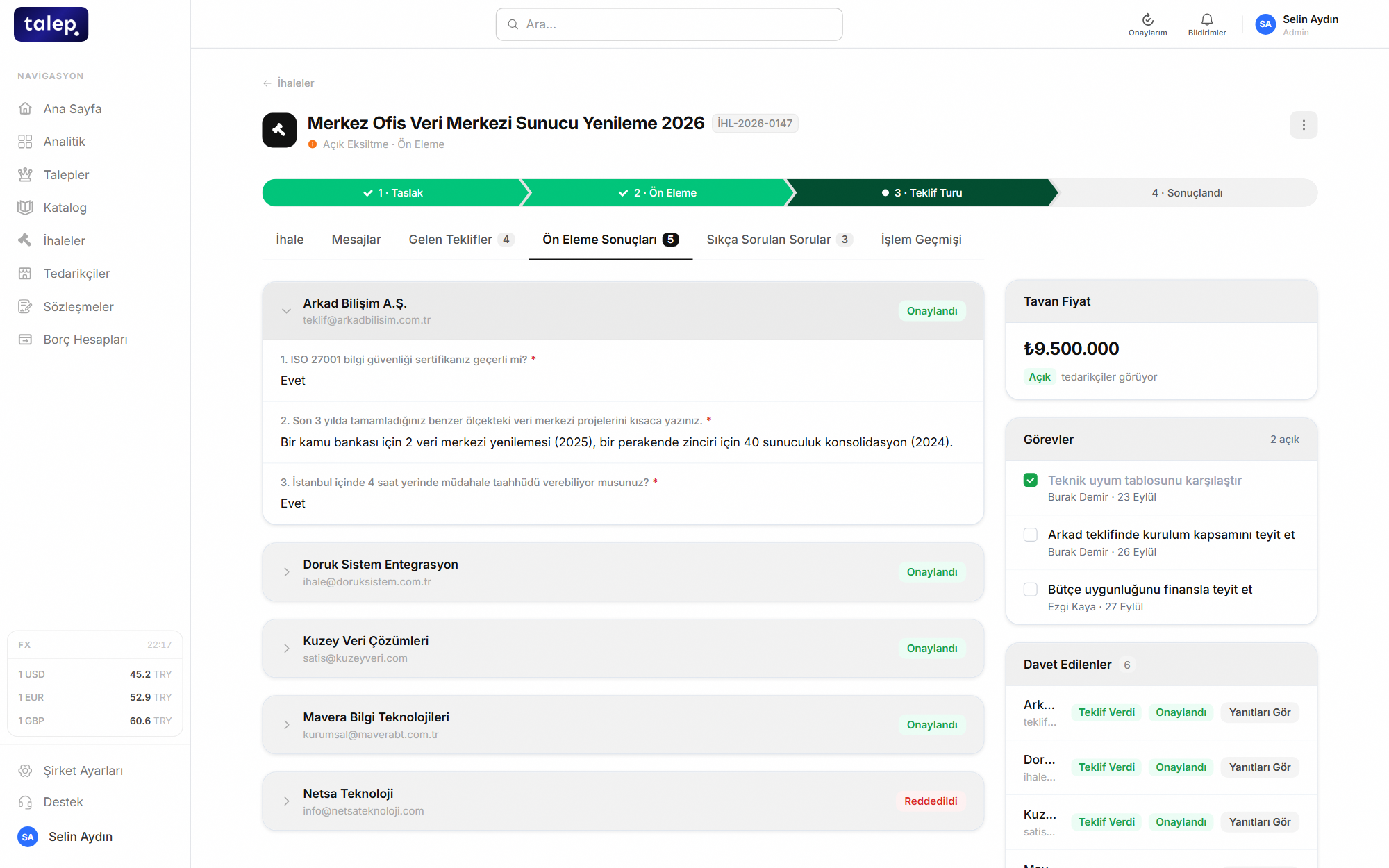
Qualification documents arrive by email and who was approved lives in an Excel row.
A supplier who fails pre-qualification cannot bid, and who was rejected and why stays on the tender record.
Bids stay invisible to everyone until the opening.
In a sealed-bid tender, bid amounts are hidden from everyone, your own procurement team included, until the opening time you set. Confidentiality is enforced at the data layer, not just on screen. When the envelope opens, every bid appears at once.
- Suppliers can update or withdraw their bid until the deadline.
- Bids can come in different currencies and are compared in one.
- Who opened the envelope and when is recorded.
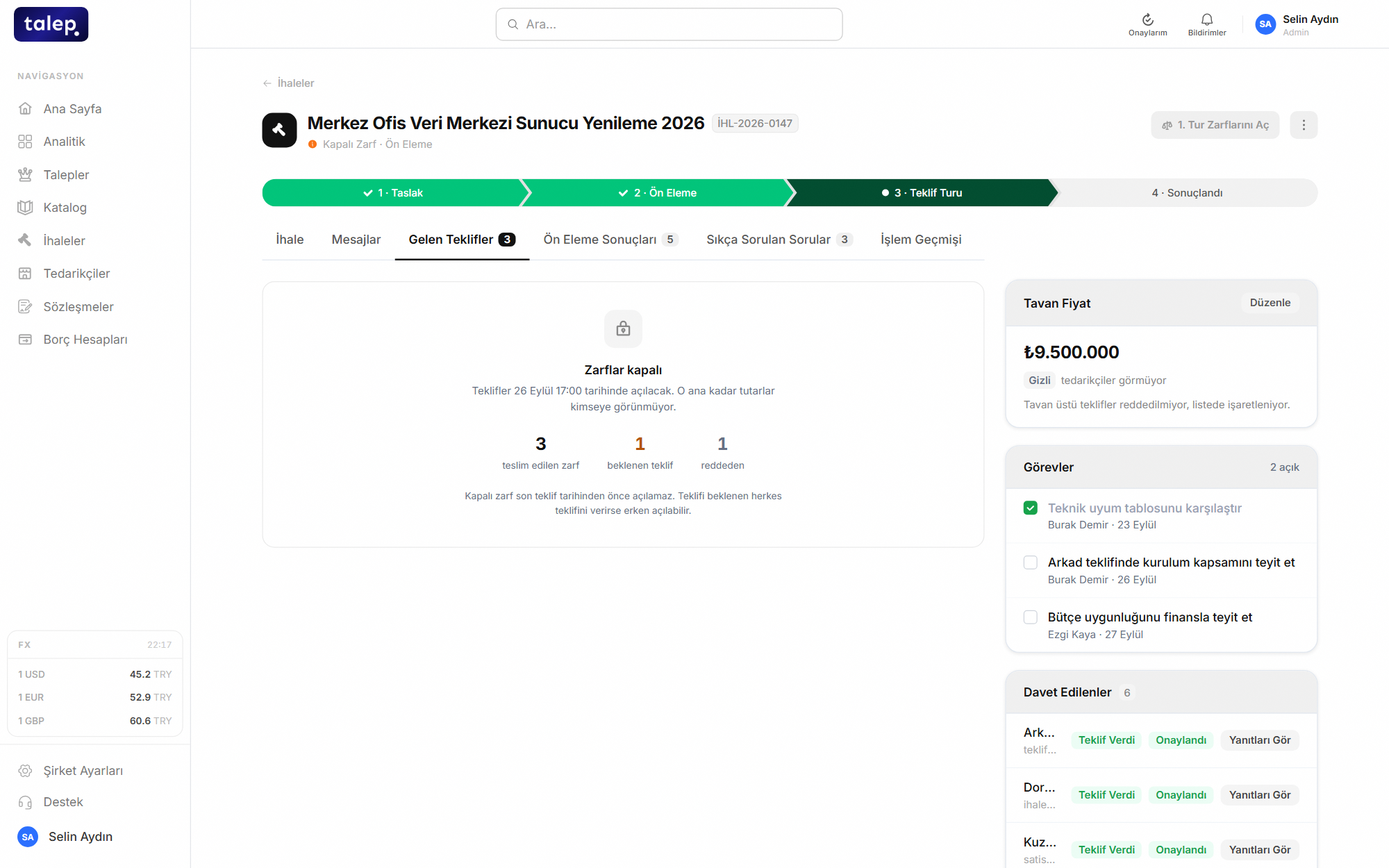
Bids arrive by email, and whoever opens them first sees the prices before anyone else.
Nobody sees a price before the opening, and the opening itself sits in the audit trail.
Suppliers lower their price in real time.
In a reverse auction suppliers lower their bids live for the duration, and every new bid appears instantly. You set the rules, and a bid that breaks them is rejected by the system.
- Minimum decrement and ceiling price rules.
- Requiring the leading price is optional.
- Bids cannot be withdrawn in an auction, because a posted price steers competitors.
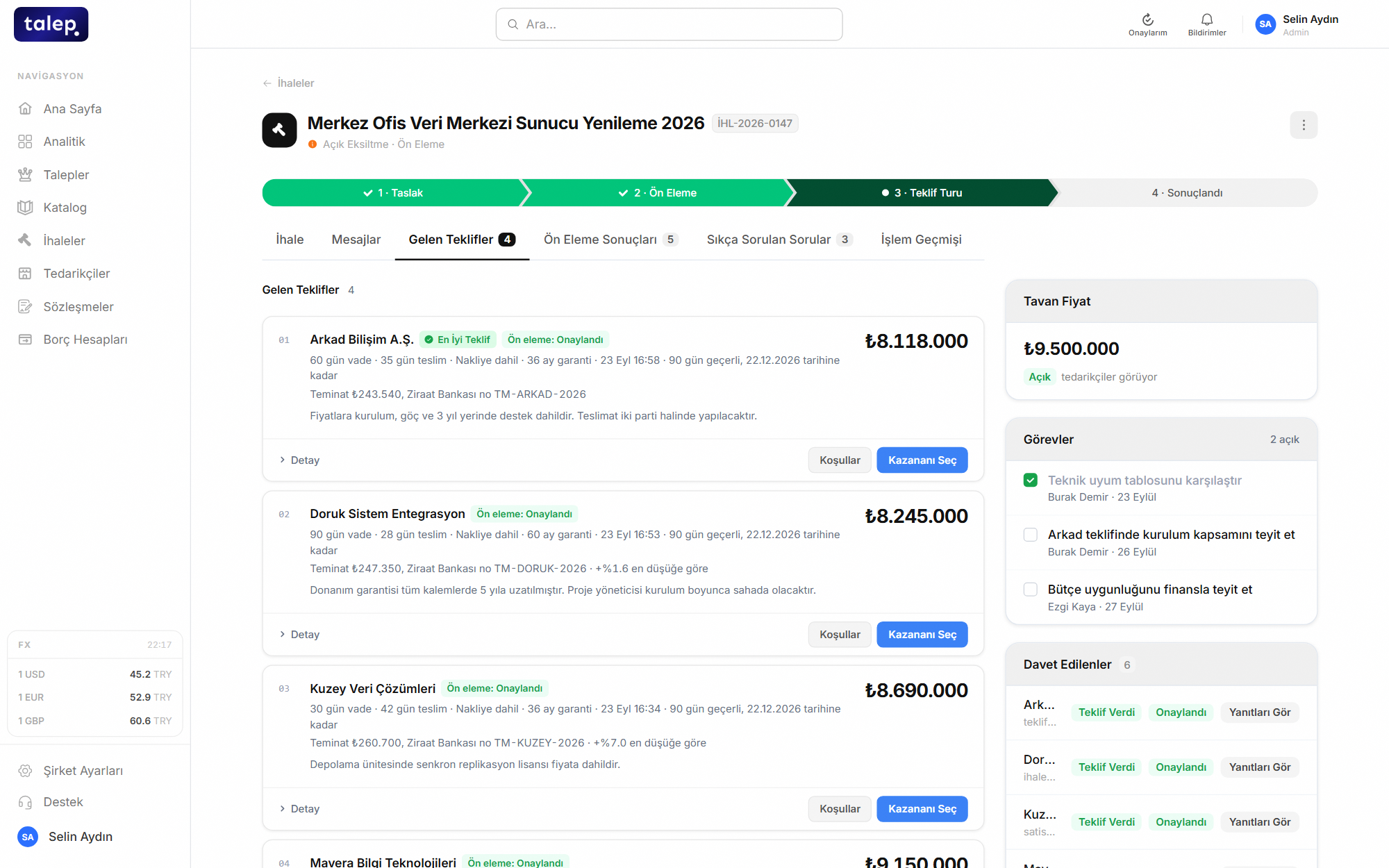
Negotiation runs call by call, and which price was quoted to whom is never recorded.
Every supplier competes under the same rules at the same time, and each bid is time-stamped.
In the next round, bids can only improve.
Once the first round closes, open a new one. The closed round becomes read-only, and in the new round a supplier cannot offer worse than their previous bid.
- Each round’s bid is stored separately, with the revision history visible.
- The drop between rounds is reported as negotiated savings.
- Suppliers are emailed when a round opens and closes.
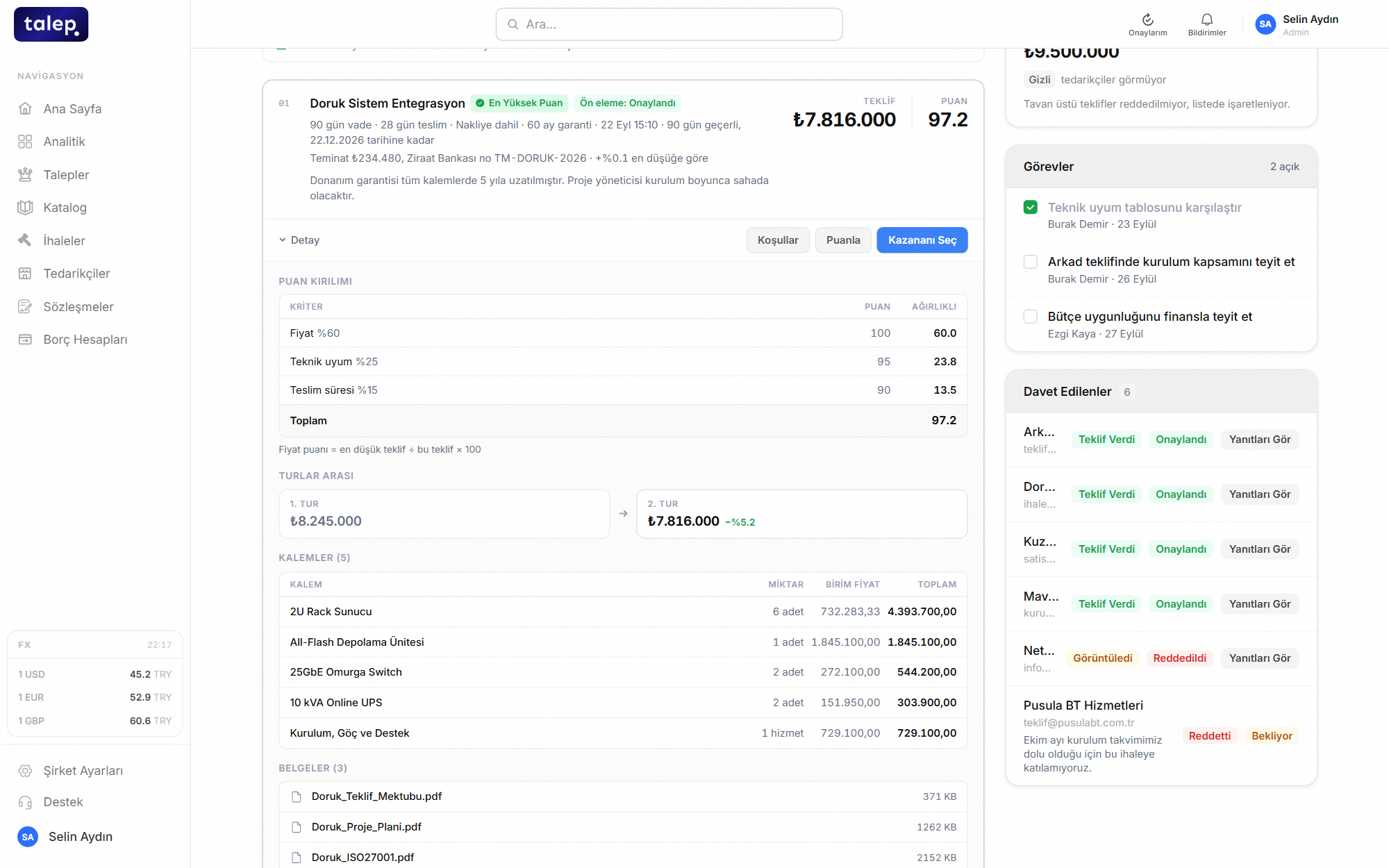
Asking for a second price starts a new email chain, and nobody is sure which bid came first.
Each round’s price is stored on its own, and what negotiation earned is calculated for you.
Find the best bid, not just the lowest price.
Bids line up side by side in one table, line by line. Payment terms, delivery time and freight are converted into money to produce an evaluated price. AI reads the supplier’s note and attachments, suggests missing commercial terms and flags contradictions: if a bid says "VAT included" while the tender totals exclude VAT, you see it before you decide.
- AI suggests, it never changes the calculation; a suggestion is saved only when you approve it.
- The best bid for each line item is marked.
- You choose the scoring criteria and their weights.
- Bids in different currencies are converted into one.
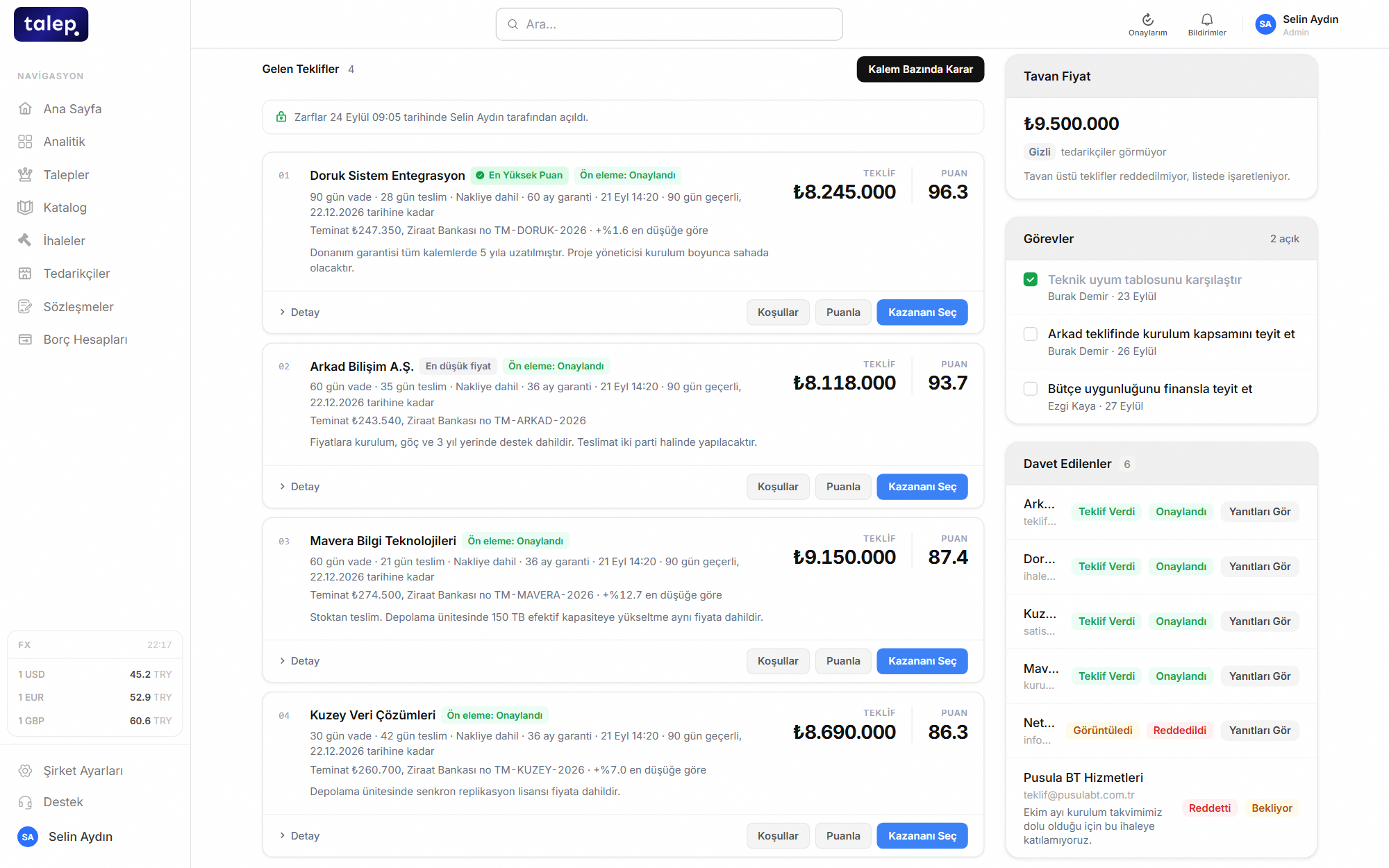
Bids are typed into Excel by hand, and payment terms and freight are either ignored or counted differently every time.
Every bid is evaluated with the same formula, and the table fills itself as bids arrive.
Award line by line, get the minutes in one click.
Award each line item to a different supplier if you like. You write the reason for the decision, the award minutes are produced as a PDF and suppliers are notified of the result.
- The award reason is kept in the tender’s activity log.
- A PDF award record, ready to sign.
- The winning price is reported as savings against the reference price you choose.
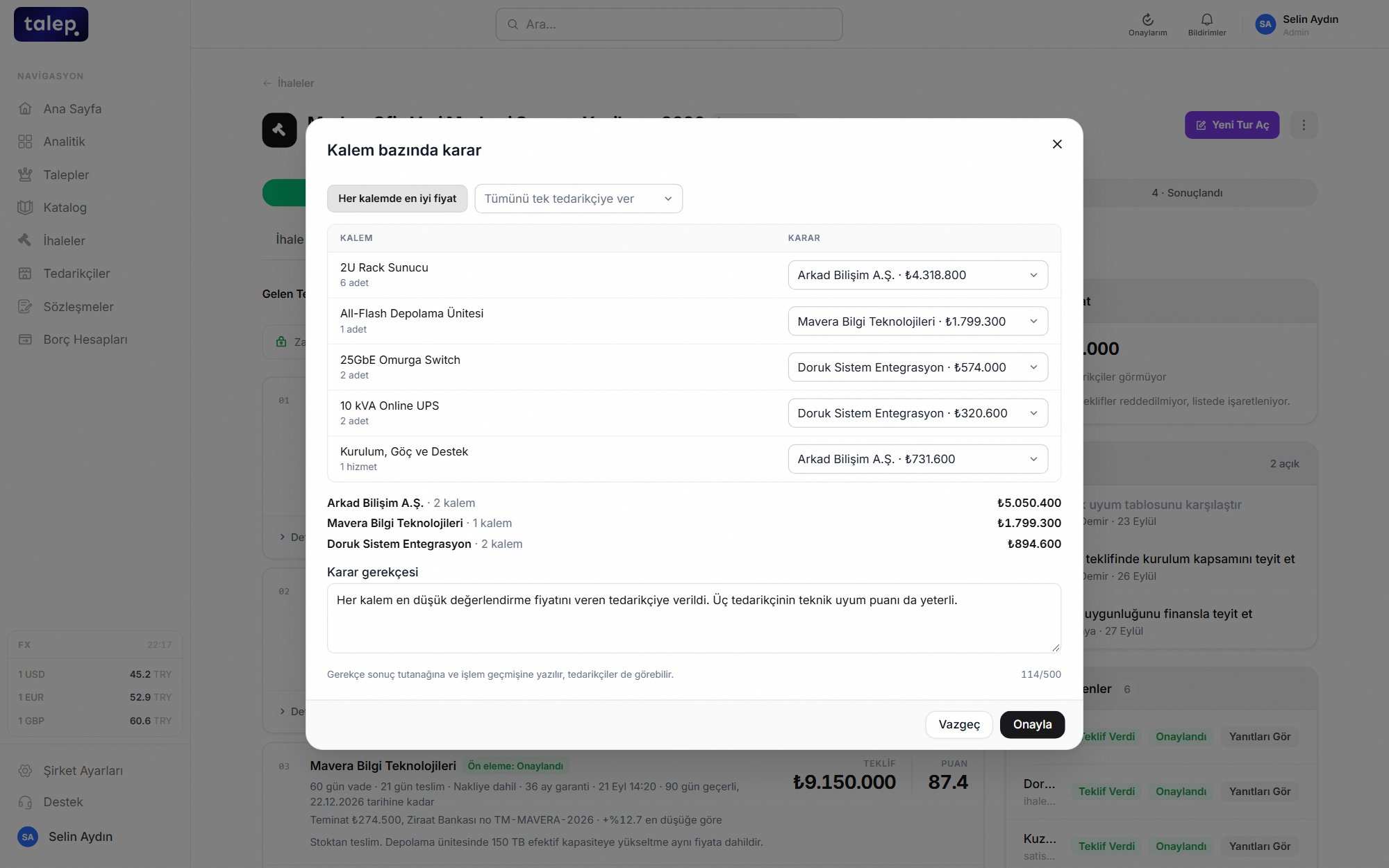
The decision is made in a meeting, its reason stays in an email and the minutes are written from scratch in Word.
The decision, its reason and the minutes live on one record, ready to show an auditor from one screen.
Suppliers join with nothing to install.
An invited supplier opens the portal from the link in their email, downloads the specification, asks questions and submits a bid. They are notified automatically when you publish an addendum and when the deadline is close.
- Questions and answers stay inside the tender, and messages are stored encrypted.
- Suppliers can decline an invitation, so you know early who is out.
- A reminder email goes out as the bid deadline approaches.
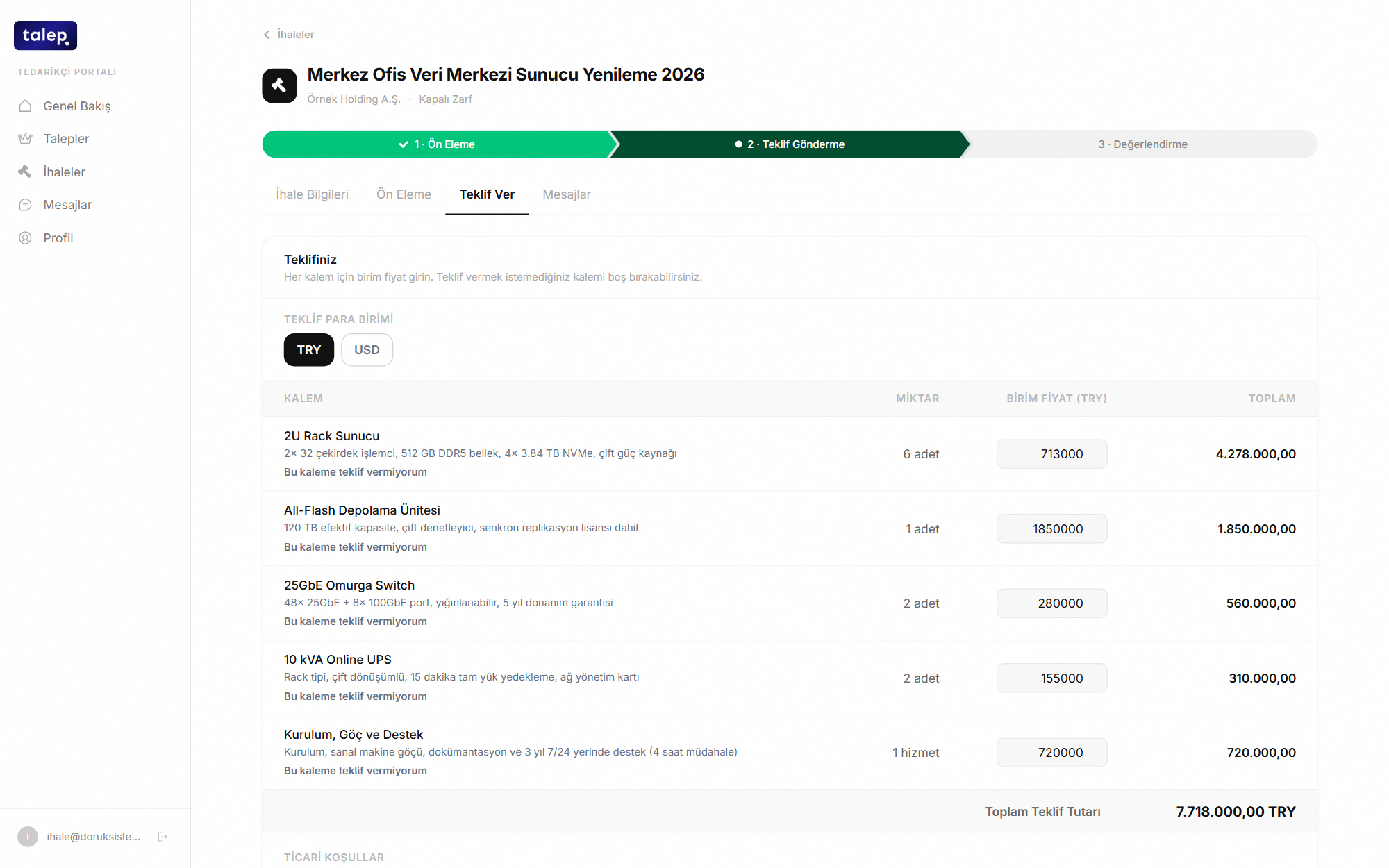
The specification goes out as an attachment, questions are answered one by one and some suppliers never hear about the addendum.
Every supplier sees the same document, the same answer and the same addendum at the same time.
Every step is recorded with who took it.
Publishing, invitations, the envelope opening, a new round, the award: everything that happens in a tender lands in the activity log with a timestamp and a name. Who did what and when is answered on one screen.
- Bid amounts are sealed in the database too until the opening.
- Messages and bank details are encrypted with AES-256.
- Sign-in with two-factor authentication.
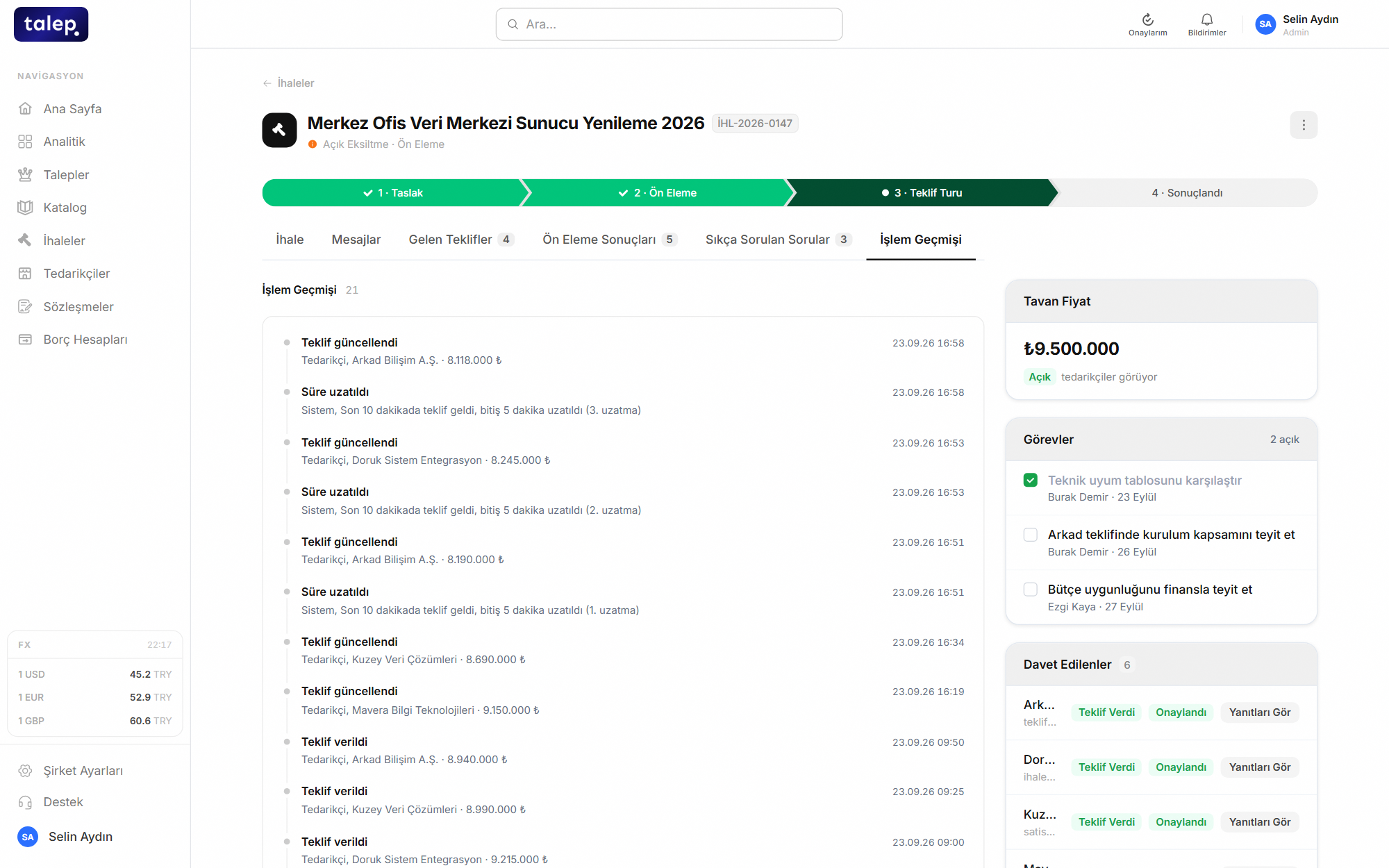
The answer to who saw what and when is scattered across inboxes.
The whole history of the tender is on one timeline, with no separate file to prepare for internal audit.
Small details that matter.
Bid terms and bid bond
Ask for a bid validity period and a bid bond. The bond amount and validity are checked together with the bid.
Pre-publish check
Risks such as too few invitees, a short bidding window or unbalanced criteria weights reach you before the tender goes live. AI flags brand lock-in, contradictory and missing clauses in the specification, with page numbers.
Live participation tracking
See who has bid and who has withdrawn as it happens. Reminders go out on their own before the deadline.