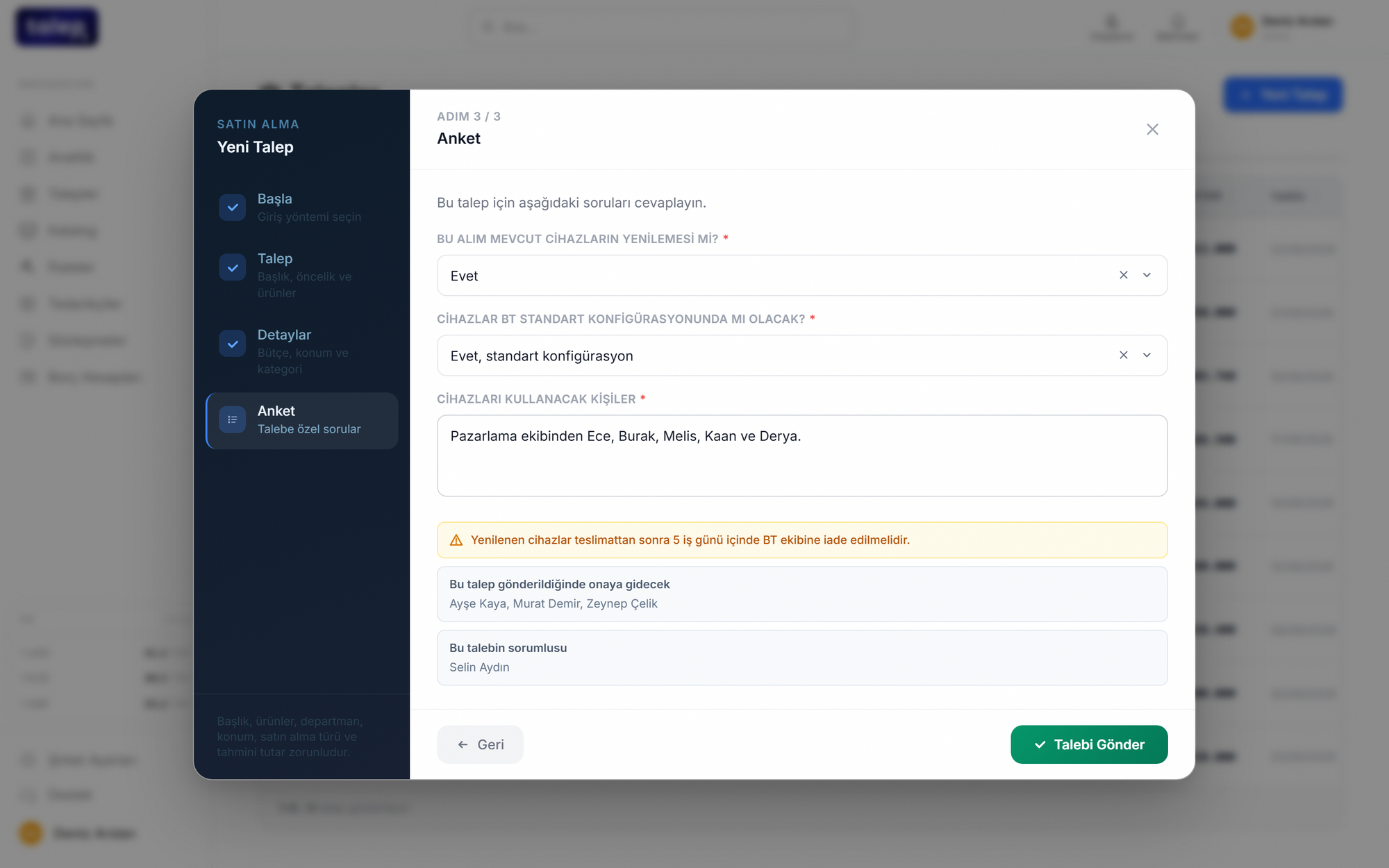
Write one sentence, get a completed request form.
The requester describes the need in their own words: "5 laptops for the marketing team by the end of the month." AI fills in the title, category, cost center, delivery date, estimated amount and line items. The questions that category requires appear while the form is being completed.
- It picks category and cost center from your own lists; a category that is not on your list is never written to the form.
- Category-specific questions and warnings inside the form.
- The approval path and the assigned owner are shown before sending.
- Catalog items are ordered directly instead of requested.
Requests arrive by email and go back and forth two or three times for category and budget details.
The requester writes one sentence, and procurement receives everything needed to act.
Every request finds its own way.
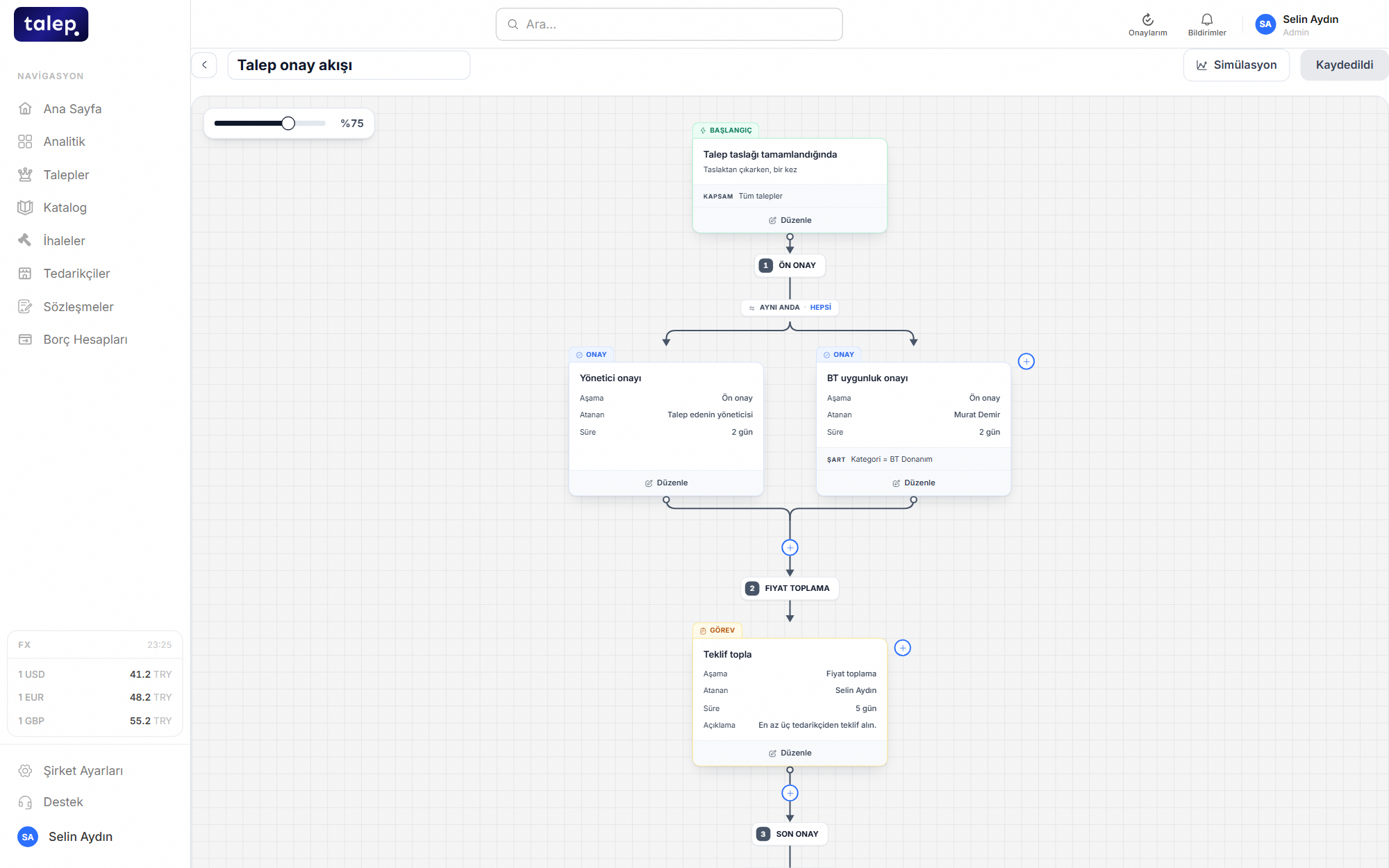
Set your rules once on the workflow canvas: by amount, category or budget. The moment a request is raised, the engine lines up approvers, assigns an owner, opens tasks and, when needed, warns or stops the flow. A request that fits the rules can be approved automatically with no wait.
- Sequential, parallel and conditional approval steps, with no code.
- A due time on every step, with a reminder when it passes.
- A map shows which step each request is waiting on.
- The same engine runs invoices too.
People ask around to find the approver every time, requests get lost in email and nobody knows where one is stuck.
The rule is set once and every request follows it on its own, with the stuck step and the waiting person shown on the map.
Know what you paid before you ask a supplier for a price.
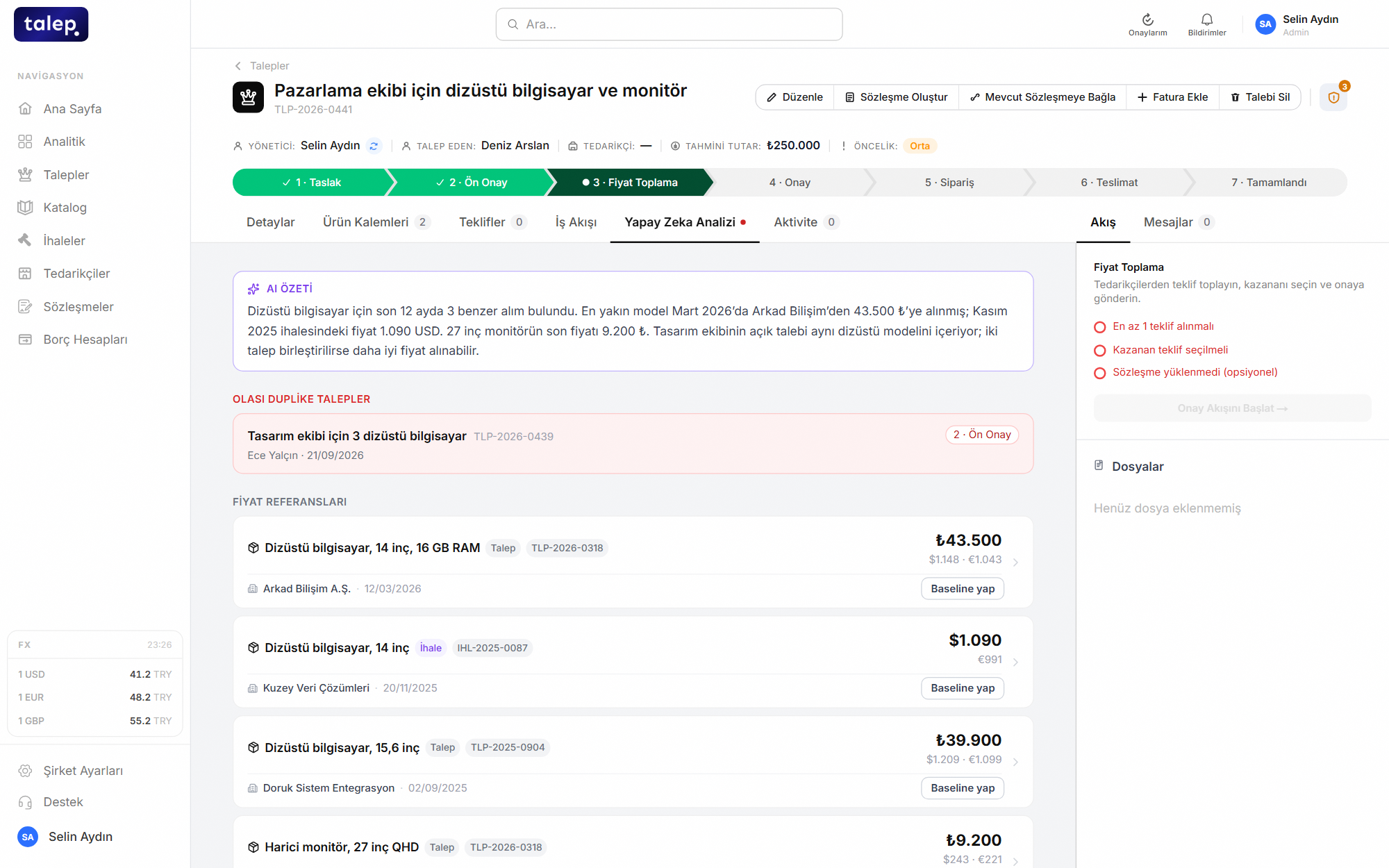
When a request reaches pricing, AI searches your past requests and awarded tender bids for similar purchases of each line item. It looks past brand and model differences to find the same kind of product, then lists unit price, supplier and date with a short summary.
- Turn a found price into your savings baseline in one click.
- An identical request already in progress is flagged as a duplicate.
- Each price also shows its USD and EUR value at the exchange rate of the purchase date.
- AI reads the supplier’s quote PDF and matches its lines to your items.
What was paid last year lives in someone’s memory or an old email, so negotiation starts from the supplier’s number.
The past price, supplier and date are in front of you before you negotiate, and savings are measured against that price.
Every request lands on the right budget.
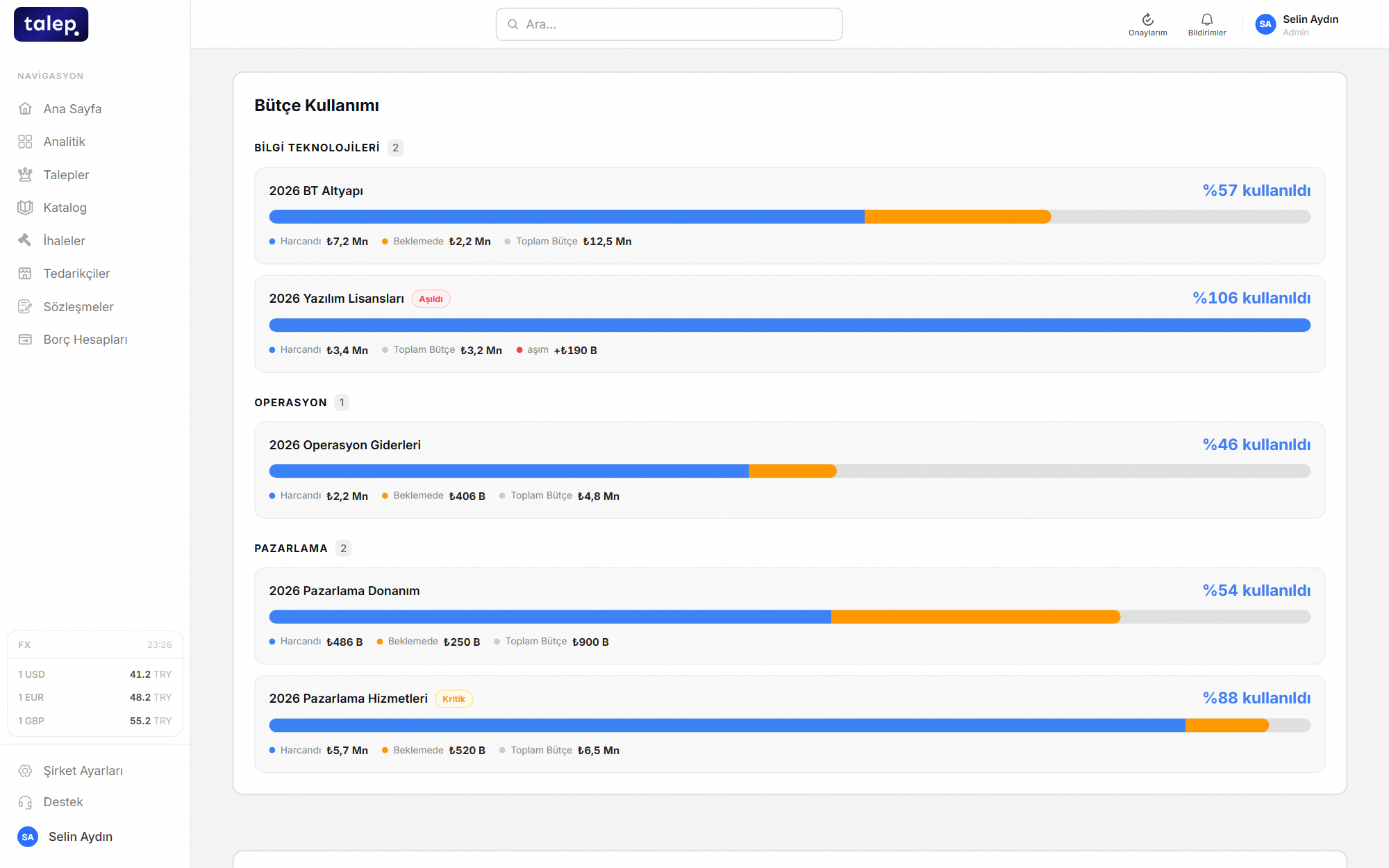
Define budgets and cost centers. The budget is chosen when a request is raised, and approval rules can branch on it. Catalog orders draw from the same budgets.
- Approval rules tied to budgets.
- Every amount is stored with the exchange rate at the time.
- Catalog orders are recorded with their budget source.
The budget lives in a separate sheet and spend is matched only at month end.
Spend is written to the budget when the request is raised, with no month-end reconciliation to wait for.
Contract expiry never catches you off guard.
Keep contracts with their documents, supplier and line prices. As the end date approaches the owner is reminded, and no order can be placed on an expired contract.
- Contract lines flow into the catalog with their prices.
- Renewal reminders.
- Contract documents and attachments in one place.
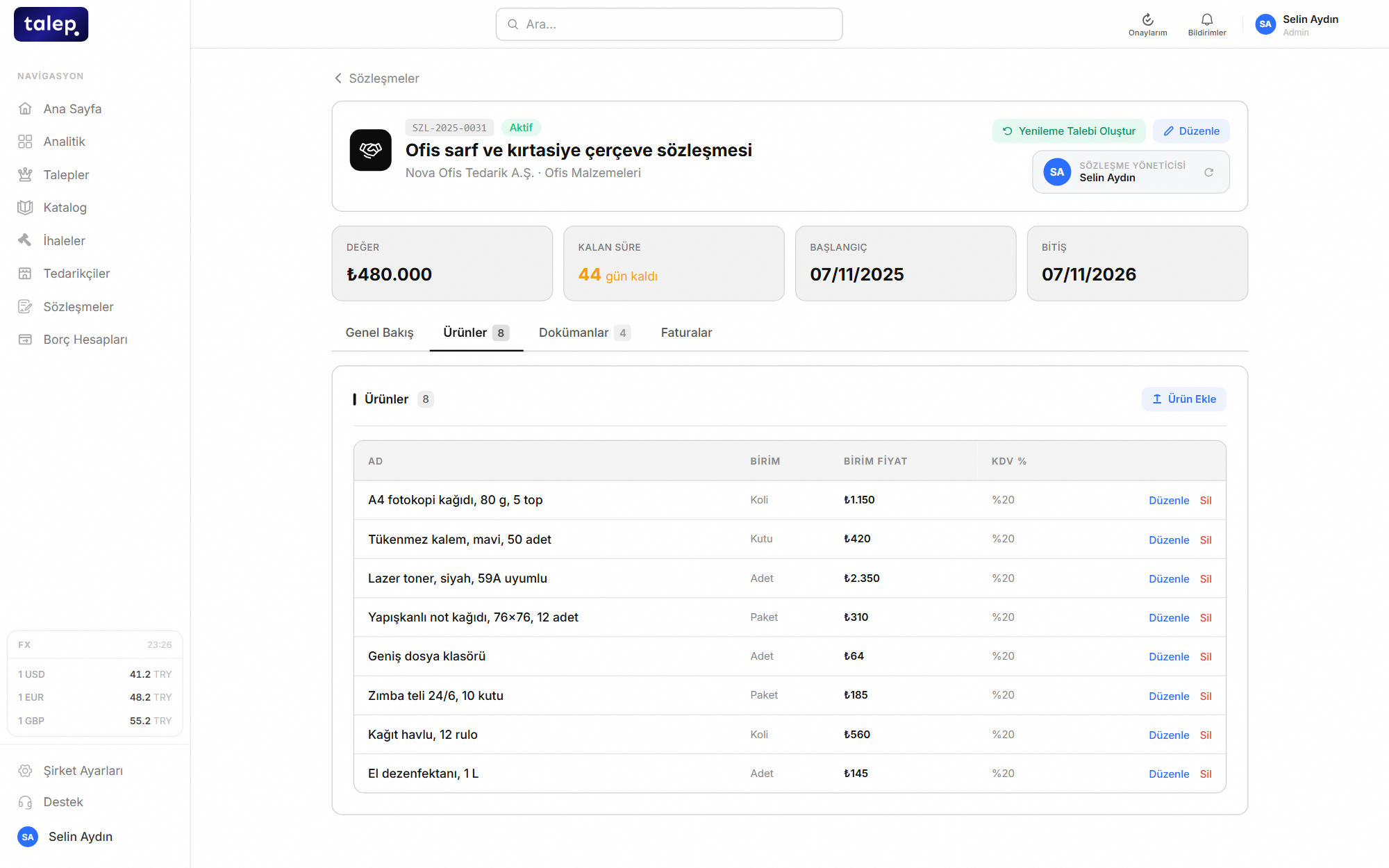
Contracts sit in a shared folder, and by the time the end date is noticed there is no time left to renew.
You are reminded before expiry, and the contract price applies to every order automatically.
For contracted items, order instead of request.
Contracted items are listed in the catalog at the contract price. Employees pick the item and order it, skipping bid collection and price negotiation.
- Prices come from the contract, never typed by hand.
- Orders are written to the chosen budget.
- Items on an expired contract cannot be ordered.
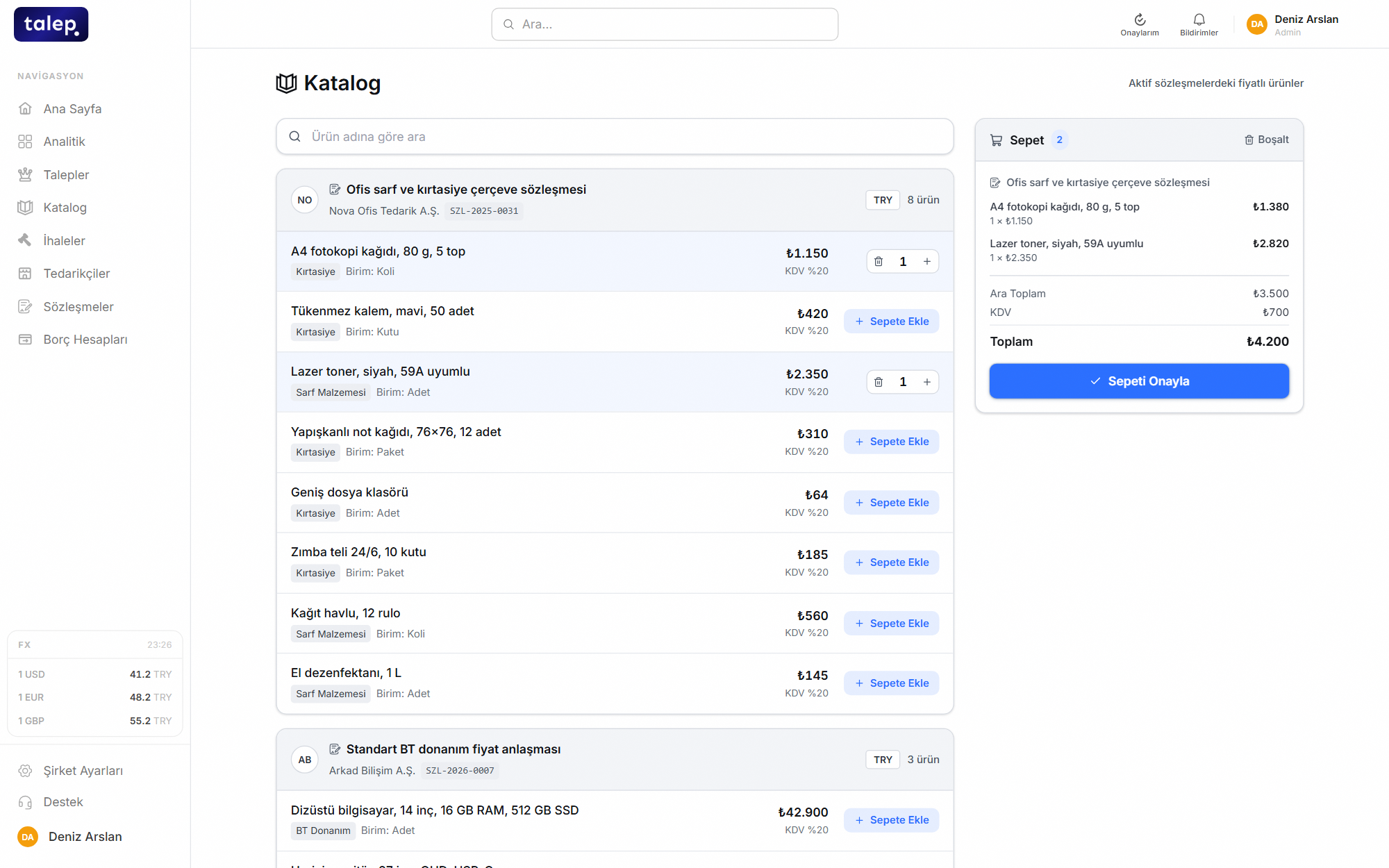
Quotes are requested every month for the same office supplies.
The deal is made once, and later orders take minutes.
Invoices are approved against the order amount.
Upload the invoice and AI reads it and fills in the fields. It is compared with the order amount of its request and goes through the approval flow you set up. The payment list shows clearly what is approved.
- Invoice approval runs on the same engine as request approval.
- Approval rules can branch on whether the invoice matches the order.
- A payment list with a paid marker.
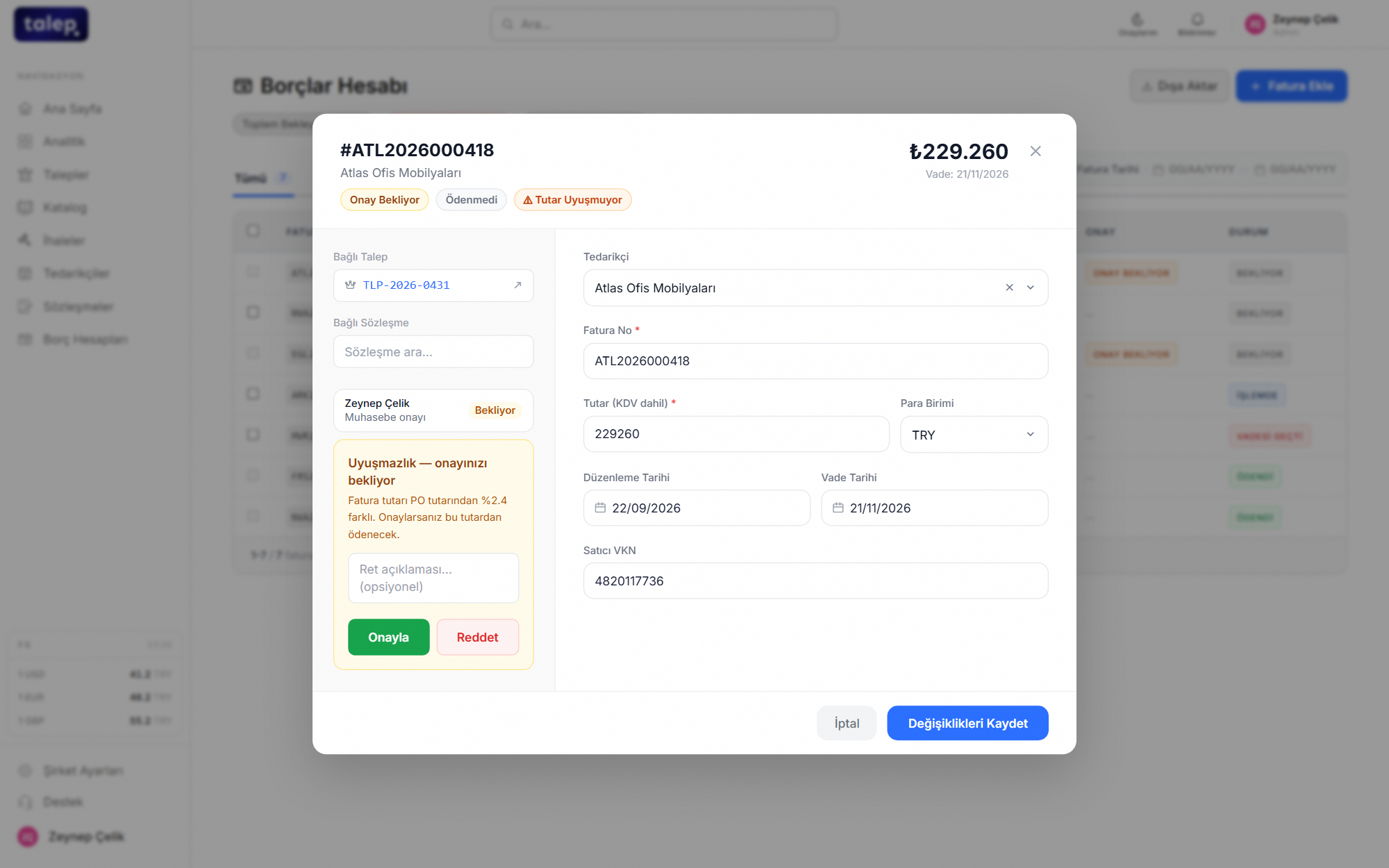
The invoice reaches accounting, someone hunts for who placed the order and the totals are checked by hand.
An amount that differs from the order is flagged with the percentage difference, so the approver knows exactly what they are approving.