All your suppliers in one list, with spend share and score.
Classify suppliers by tier and give each one an account manager. The bar above the list shows where your spend is concentrated; score, portal status and ERP status sit on the same row.
- Spend distribution is calculated from completed requests.
- Average delivery time is measured from purchase order to goods received.
- Suppliers blocked in the ERP are flagged in the list and on the request form.
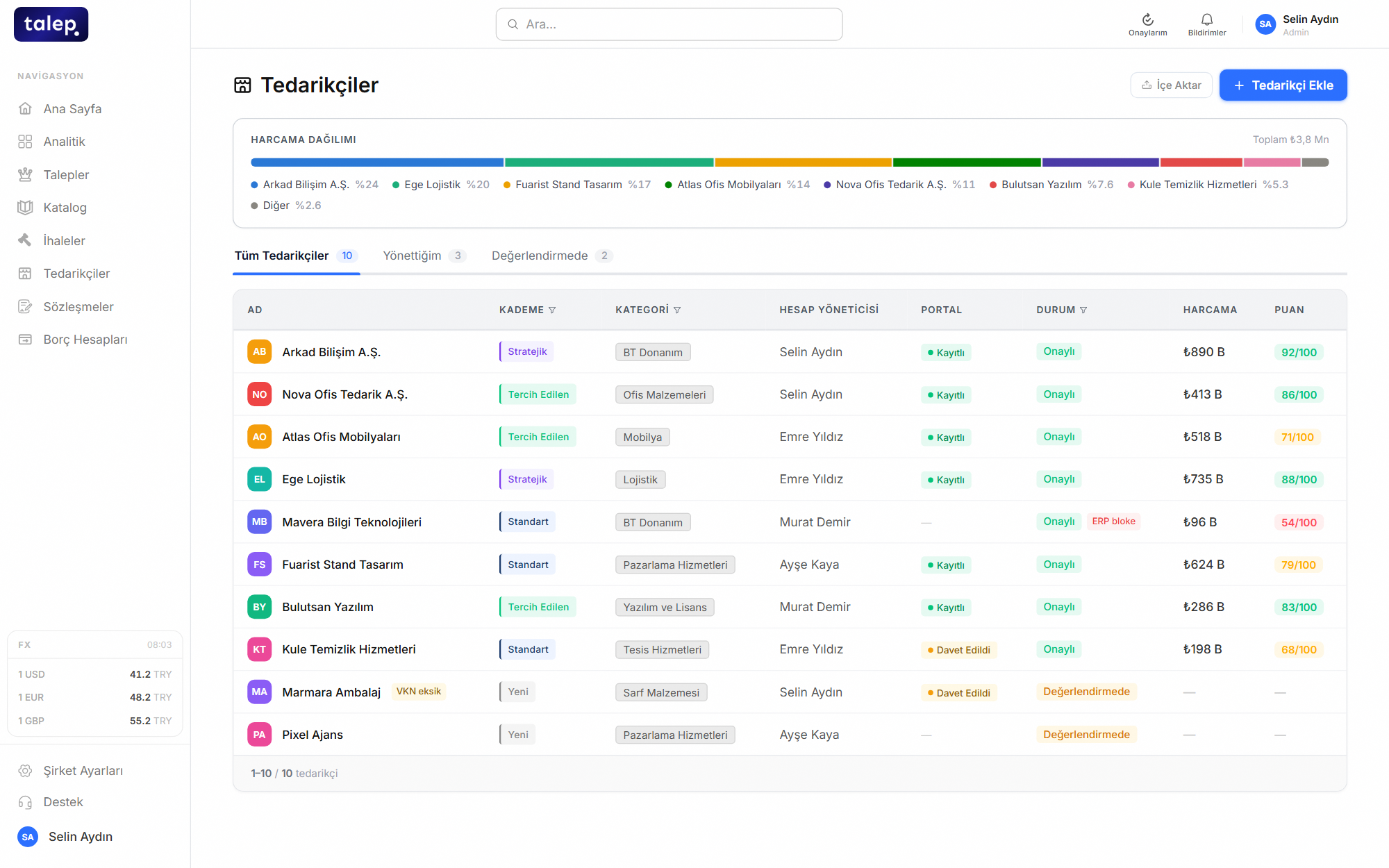
The supplier list lives in several Excel files, each with different information.
Procurement, finance and quality all look at the same supplier record.
A separate account for your supplier, nothing to install.
Suppliers enter the portal from an invitation link. With one account they can work with several buying companies, entering their company details and documents once instead of sending them to each buyer. Bank details are set separately for each buyer.
- Tender invitations, bids and messages in the same portal.
- Bank details labelled per buyer and stored encrypted.
- Changes to critical profile fields go through the buyer’s approval.
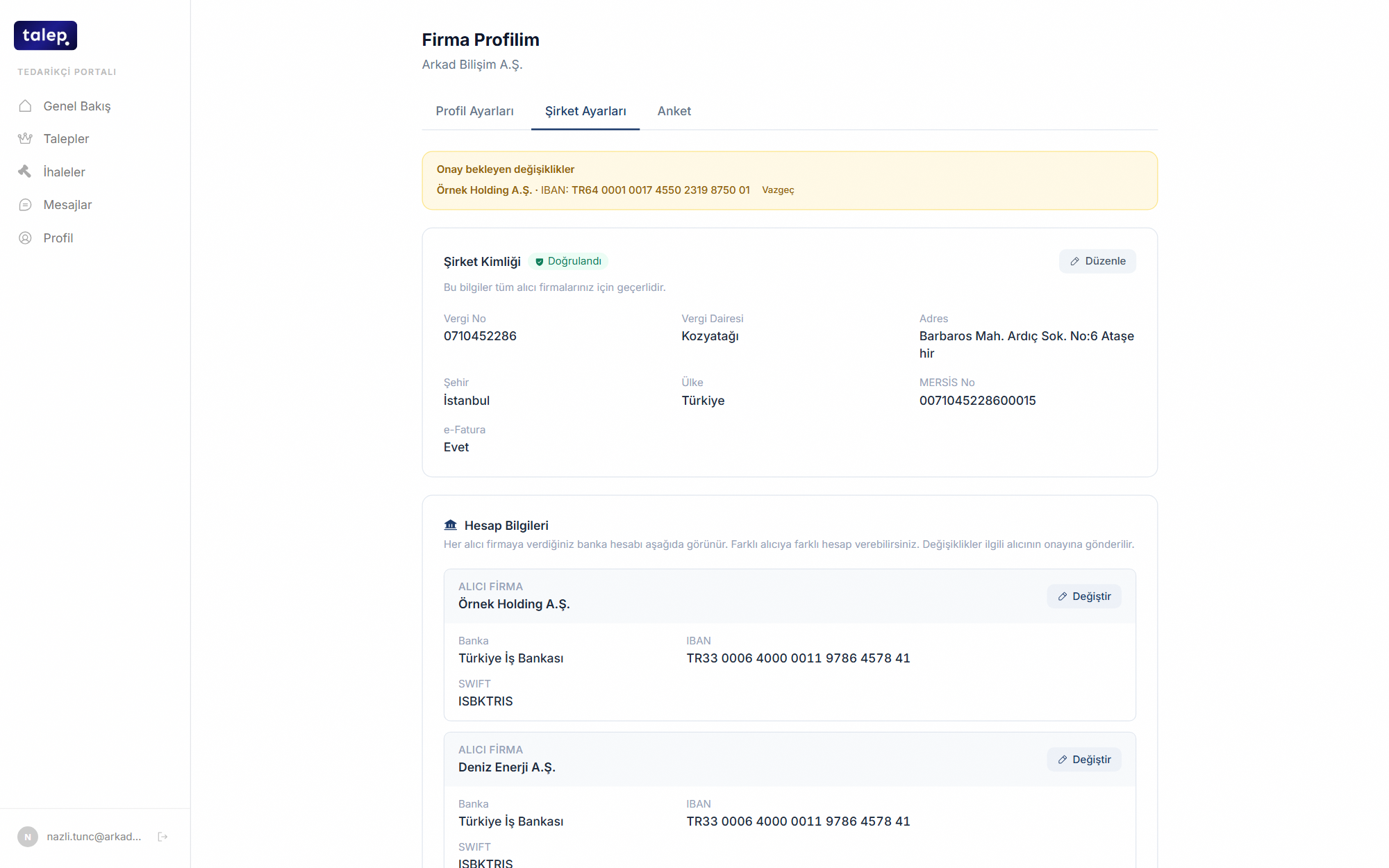
Supplier details are requested by email and collected again every year.
Suppliers keep their own details current, and changes to critical fields wait for your approval.
Savings reported apart from currency effects.
See spend by supplier, category and budget. Savings are calculated both in cash and in USD, so a gain from exchange rate movement is never shown as a procurement win.
- The reference price comes from a past purchase, a contract or a bid.
- Gains from negotiation rounds are shown separately.
- Every amount is stored with the exchange rate of its own date.
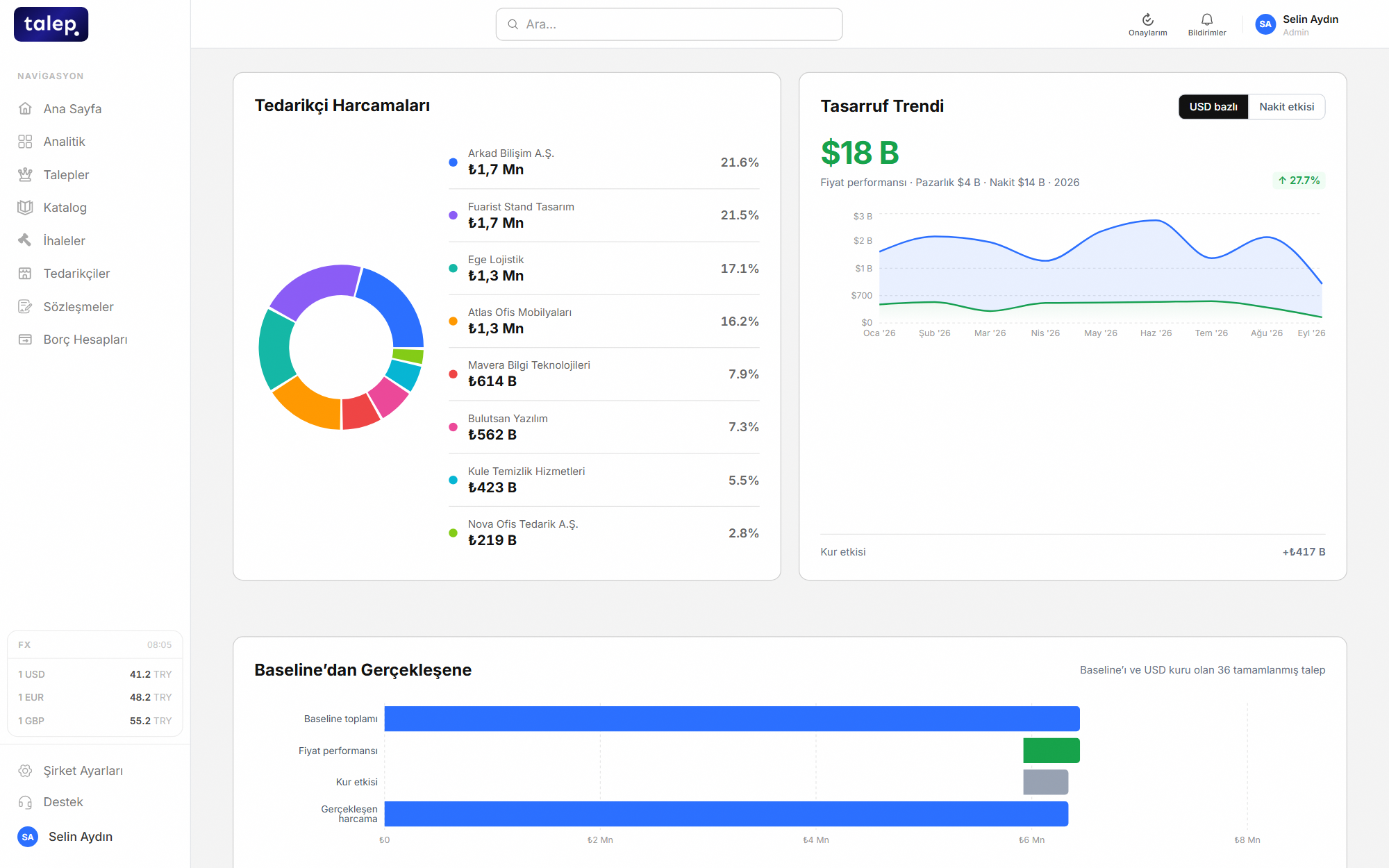
The savings report is built by hand at year end, and even a currency swing can count as savings.
The numbers build up on their own, with price performance and currency effect on separate lines.
Your data is never visible to another company.
Every record is tied to your company and separated at the database level. Messages and bank details are encrypted with AES-256, and sealed bids stay sealed in the database until the opening.
- Two-factor authentication.
- Approvers can only decide on the step assigned to them.
- Every tender action in the activity log.
Prices and bank details sit in email attachments, in everyone’s inbox.
Sensitive information is stored encrypted and shown only to people with access.
It does not replace your ERP, it works in front of it.
Approved orders are sent to your ERP, and supplier master data is kept in step between the two systems. If a transfer fails it shows on the request screen and can be retried, so no record is lost silently.
- The connection is set up for the ERP your company uses.
- Transfer errors on the request screen, with retry.
- Changes to supplier details reach the ERP after approval.








An approved order is typed into the ERP a second time.
The order is entered once and its ERP counterpart is created for you.